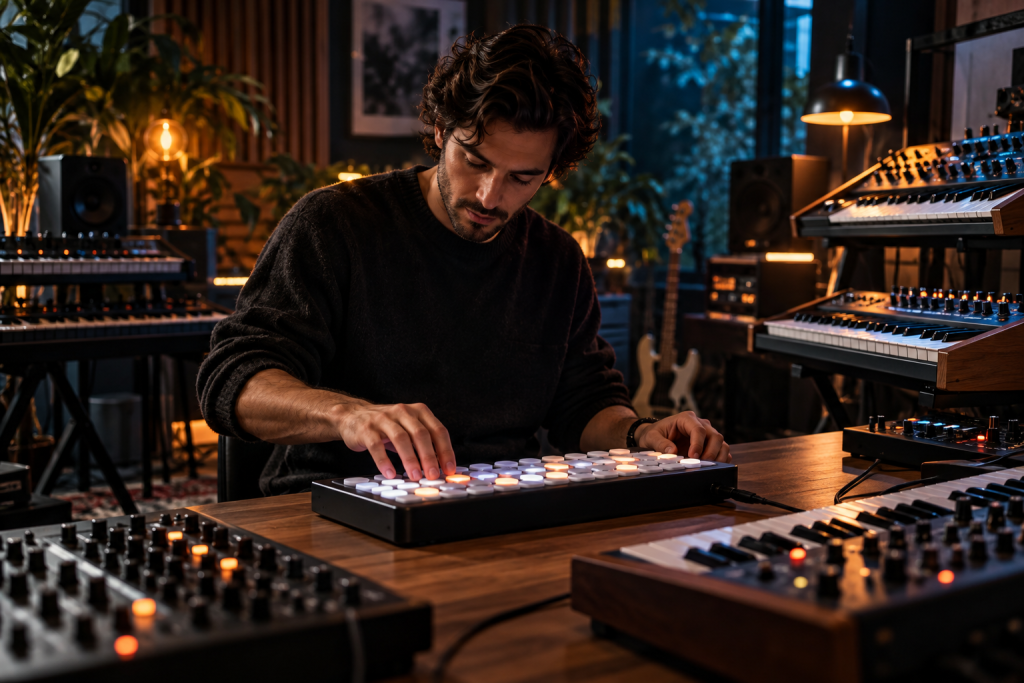
Most chord tools give you one thing: a block of notes. You press a key, a triad falls out, you drag it into the piano roll, and now you have to write everything else around it by hand. Midicake UNA is trying to skip that step. Instead of just spitting chords, it takes what you play and generates the bass, melody and chord parts that belong under it, all as separate MIDI streams you can route to different synths.
I have not had my hands on a unit yet, so treat the specifics below with the usual caution. But the concept is worth unpacking, because it sits right where a lot of electronic producers get stuck: they have a chord progression and no idea what the other parts should do.
What UNA actually does
UNA is a hardware MIDI controller and generator. You play chords into it, and it works out the underlying harmony and produces related parts: a bassline locked to the chord roots, a melody that follows the scale, and the chord voicings themselves. Each part goes out on its own MIDI channel, so you can point the bass at your mono synth, the chords at a pad, and the melody at whatever lead you have loaded.
That separation is the whole point. A lot of software does chord generation. Far fewer tools give you multiple derived parts playing together, and almost none do it on a standalone box without a laptop in the chain.
The design mirrors what good producers already do manually. If your progression is C, Am, F, G, your bass should hit C, then A, then F, then G. That root-first approach is the standard advice for a reason: it grounds the harmony and keeps the low end stable. UNA just does that automatically from your input.
The bass, melody and chord split is the interesting part
Once the roots are locked, the real work starts. A bassline that only plays roots is boring. You want fifths and octaves to thicken it, passing notes between chords to add movement, maybe a slide or two if you are doing 808 work. In trap-adjacent stuff the minor third or fifth above the root is common for melodic movement, as long as you stay in key.
Whether UNA handles that level of variation is the question I would want to test first. A generator that only gives you root notes is not much more useful than the chord block you started with.
Melody generation is harder to get right. The rules are simple enough: stick to four or five notes from the scale, repeat motifs with slight variation, mix long and short values, land on strong notes like the root, third or fifth. Most algorithmic generators violate at least two of those and produce something that sounds like a random walk through the scale. If UNA’s melody output actually respects phrase and motif, that alone would justify the box for people who freeze up at the piano roll.
The chord part has a similar test. Basic triads are fine and often the right call. The temptation with a generator is to overcomplicate, and altered chords in a string arrangement or a pad are easy to pile up until it turns to mud. A tool that keeps voicings simple by default is probably making the better choice for you.
Standalone hardware vs. MIDI FX in the DAW
Every DAW worth using has this covered to some degree. Logic has Chord Trigger. Ableton has the Scale device. Arpeggiators turn chords into melodic patterns, scale highlighting in the piano roll stops you writing out of key, ghost notes let you see the other parts while you compose. None of this is cheating. These tools are creative shortcuts, full stop.
So why buy a hardware box for it?
Speed and distance. A DAW-based chord generator runs inside the same session where you are already staring at the arrangement. There is no friction to tweak one more note, open one more plugin, undo one more thing. Hardware forces a different workflow: you play, the box generates, you record the MIDI and move on. That constraint is often where ideas actually get finished.
There is also the routing advantage. A plugin generates MIDI inside one track, then you copy it around. UNA sends multiple parts on separate channels, which means one chord played on the keys can drive three synths at once with no copying and pasting. If you have ever spent twenty minutes duplicating MIDI clips so a bass and a pad line up correctly, you know why that matters.
Where this fits in an actual session
The obvious use case is the sketch. You have a progression you like, you are not sure where the rest of the parts go, you play it into UNA and get three MIDI streams back. Record them, then edit. The generated parts are a starting point, not the final take. Change the melody rhythm, drop the bass an octave, replace a chord voicing. The box got you to a full arrangement in a couple of minutes.
The less obvious use is live. Playing chords and having bass and melody follow in real time, all going to different synths, is the kind of thing that makes a small hardware setup feel much bigger than it is.
What I want answered before recommending it
- How much control do you have over the generated parts? If it is all on and no per-part mix or selection, the divide between useful and annoying will be sharp.
- Does the melody respect motifs and phrasing, or just produce scale-legal notes?
- How does it handle non-diatonic chords, borrowed chords, secondary dominants? Real progressions are not always clean.
- What happens with sustaining input? You want the generated parts to move under a held chord, not freeze with it.
None of those are fatal design decisions. They are just the difference between a tool you use on every session and one that sits on the shelf after a month.
Do you need it
If you write chords with your hands and struggle to get the bass and melody to follow, this targets you directly, and hardware will probably keep you more honest than another plugin folder you forget to open.
If your workflow already lives in a DAW that has chord tools and you are comfortable using them, UNA is competing with something you already own. The selling point is multiple parts on multiple channels from one performance. That is a real difference, not a spec-sheet difference.
Worth a serious look if you play a keyboard, not if you draw everything in the piano roll and prefer it that way. The people who will get the most out of UNA are the ones who start a track with a chord progression and currently stop dead the moment the pads are down.